How Rivalyst works. Money, seats and the day itself.
Everything the platform does on your behalf, what it costs, and what it asks of you before your competition can sell a single entry. Written for organisers deciding whether to use Rivalyst and for organisers already running events on it.
R5 + 5%
Platform fee per paid entry. Free divisions cost nothing to run.
10 seats
Free manual participants per competition, before any seat pack.
Your account
Entry money settles from Paystack into your own bank account.
Four sports
Crossfit, running, shooting and racing, each with its own vocabulary.
Every rate on this page is the platform default. Rivalyst can price a competition differently by agreement, and rates are negotiable for larger events and series. Prices exclude Paystack's payment processing fees.
Who does what
Rivalyst is the merchant of record on Paystack and your organiser account is a subaccount of it. That single arrangement explains most of the rules on this page: Rivalyst is the party Paystack holds responsible for the transaction, so Rivalyst checks who you are, issues the paperwork in your name as your agent, and carries any refund out of its own balance. You keep the event, the roster and the money.
You, the organiser
Build the competition, price it, set the waiver, run divisions and rounds, capture scores, admit people at the door, and answer to your athletes.
Rivalyst
Verifies you, takes the payment, routes your share to your subaccount, issues invoices and credit notes in your name as agent, approves refunds, and keeps the platform running.
Paystack
Processes the card, splits the transaction at capture, and settles your share into the bank account on your subaccount. Rivalyst never holds your funds.
Two ways to register
Every competition picks one of two registration modes. It is the first item on the listing checklist because it decides what the rest of the checklist asks for.
Sell through Rivalyst
Athletes find the competition, enter themselves, pay by card and get a ticket. You price each division and Rivalyst does the till.
Needs a verified payout profile before anything can sell.
Platform fee applies to each paid entry.
Every listed division needs an entry fee.
Invoices, credit notes and monthly statements are generated for you.
Bring your own roster
You already collected entries elsewhere. You add participants yourself, or send athletes a join link and approve their applications. Nothing is sold on the platform.
No payout profile and no verification needed.
You pay per seat instead of per entry.
Ten seats per competition are free.
Scoring, tickets, scanning and the public leaderboard work the same way.
Adding a participant by hand is possible in either mode, and costs a seat either way. The seat requirement only appears on the checklist for own-roster competitions, because those have no other way to fill a division.
This section depends on how you register
Onboarding and verification
Because Rivalyst is the merchant of record, Paystack does not check who you are. Rivalyst does. You submit your representative, business and payout details once, and a person at Rivalyst reads them before your shop can open.
Approval is manual, and it is a gate. Submitting is a request, not an activation. Nothing can be charged and no paid competition can be published until your account reaches the verified state. Start this early rather than the week of your event.
What you tell us
Entity type
Individual, sole proprietor, company, non-profit or trust. Companies, non-profits and trusts must give a registration number; individuals and sole proprietors do not.
Legal identity
Legal name, trading name if it differs, and a registered address. Both the name and the address are required — they print on every invoice issued in your name.
Representative
The person answering for the account, with a South African ID number and mobile number. Both are validated on the way in, so a mistyped ID is caught before a reviewer ever sees it.
VAT status
Whether you are registered, and if so the VAT number and the dates it is effective between. A VAT-registered organiser without a number cannot be verified.
Payout account
Bank, account number and account holder. This becomes your Paystack subaccount, and it is where your share of every sale lands.
Documents
An ID document and a bank confirmation letter are required. A photo of yourself holding your ID is optional, but a reviewer who wants one and does not have it will send the submission back asking for it.
The five states of an organiser account
Not submitted
You have an account but have not sent your details. The checklist reads "send your details to Rivalyst to be verified".
Pending
Your details are with Rivalyst. You will be emailed when they have been reviewed. Nothing else is needed from you.
Verified
Rivalyst has checked your ID and your bank account and said yes. Paid competitions can be published and checkout will take money.
Changes asked
A reviewer sent it back. The note they wrote appears on your checklist verbatim, so you can see exactly what to fix and resubmit.
Suspended
Selling stops immediately, at checkout as well as at publish. Contact Rivalyst before selling again.
Changing your bank details later
A change to an already-verified account queues for review rather than applying. Your existing payout account keeps receiving everything you sell in the meantime, and the email address on the account before the change is told what was asked. This is aimed squarely at somebody taking over an organiser account and repointing the payouts; the cost to you is that a genuine bank change takes a review cycle, so do it between events rather than mid-competition.
Onboarding, when you are not selling
An own-roster competition takes no money on the platform, so it needs no payout profile and no verification. There is nothing to check, because there is nothing to pay you. Create an account, create the competition, add seats, and the rest of the checklist is images, a waiver and at least one division.
If you later want to sell entries, that is a different mode on the competition and it does need verification: representative and business details, a payout account, an ID document and a bank confirmation letter, reviewed by a person at Rivalyst before anything can be charged. Switch the toggle above to read that path.
What you still owe your athletes
Rivalyst starts you off with standard waiver wording that indemnifies you and makes clear Rivalyst is only the agent. Read it, change anything your event needs, and save it. It is a checklist item in both modes, because every participant on the platform accepts a waiver and it has to be yours.
The listing checklist
The checklist on your competition is the same rule the server enforces, not a friendly approximation of it. If it ticks, submitting for review will not be refused for that reason; if it does not, the reason it gives is the reason you were blocked.
Last rows differ by registration mode
Choose how athletes register
Sell entries through Rivalyst, or bring your own roster.
Upload a thumbnail and a banner
Both appear in the Competition Hub. Your own event photography, cropped to a banner with a dark scrim so the title stays legible.
Review your waiver
Standard wording is already in the editor. Read it, adjust it, save it.
Add at least one division
The categories athletes enter into — by age, gender, weight or standard.
Price every division you sell
Divisions listed for registration each need an entry fee. The checklist names the unpriced ones. A listed division at R0 takes an entry nobody earns on and nobody invoices — either price it or keep it off the shop.
Set up billing and get verified
One row for two things: your details captured, and Rivalyst having checked them. It ticks only for both, and it tells you which half is outstanding — "fill in your address" and "wait for Rivalyst" are different problems and only one is yours.
Add seats to this competition
At least one prepaid seat pack or redeemed Rivalyst voucher, on top of the free allowance. A redeemed voucher ticks this exactly as a paid pack does.
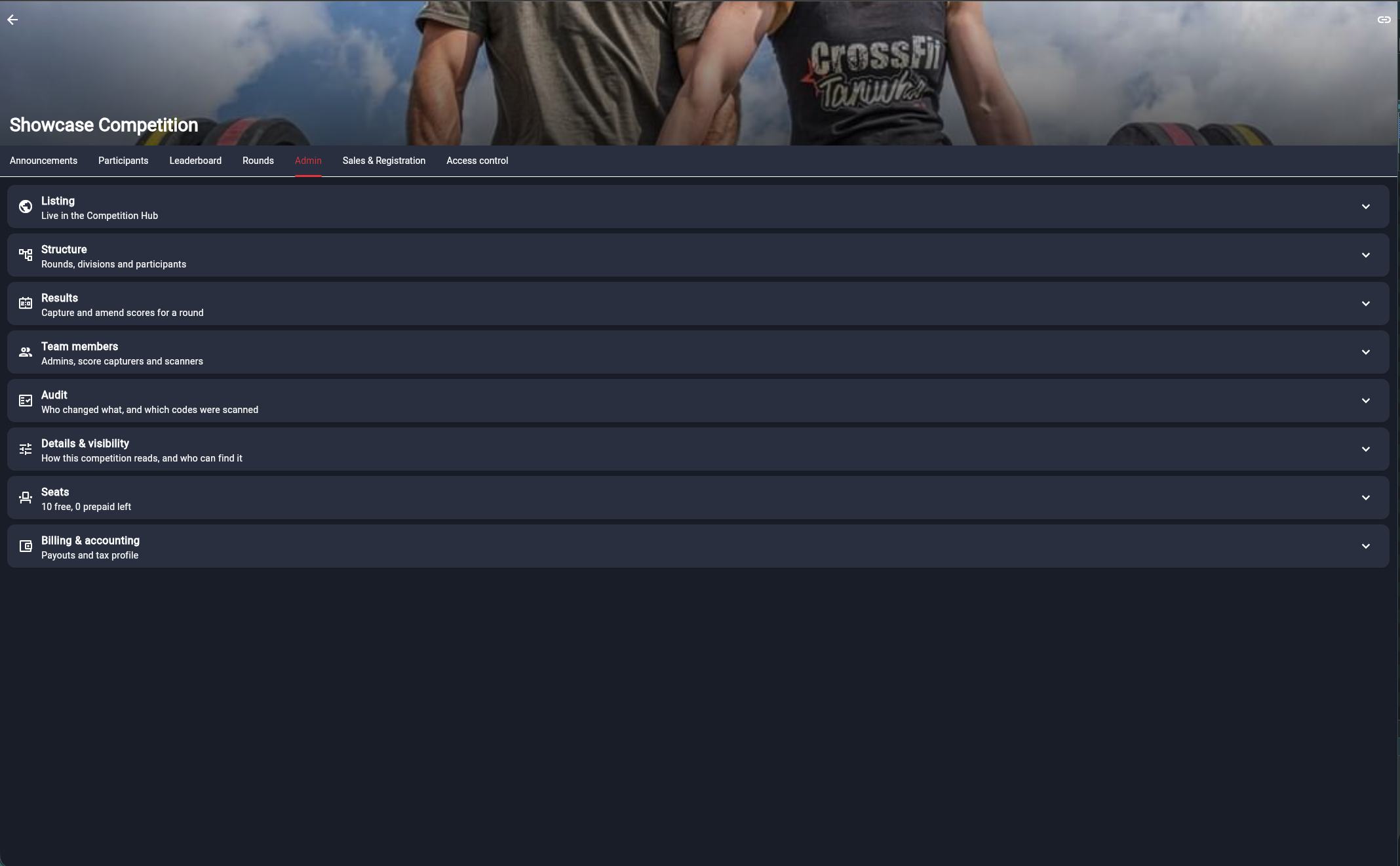
The admin tab collapses each area into a closed section card, so a competition opens as a readable menu rather than a scroll.
Going public
Listing in the Competition Hub is a review, not a switch. You finish the checklist, submit, and Rivalyst approves — the checklist is mechanical, the review is editorial. Approval is once-off: editing a live competition afterwards does not send it back into the queue.
The link always works
Every competition is readable by anyone holding its link from the moment it exists — that is what you send while you are still setting it up. Until it is listed, nobody can search for it.
The hub is reviewed
Once approved, listing is yours to turn on and off. Listed means athletes and spectators can find the competition without a link.
Where a competition stands
Draft
Still being set up. Nobody has asked for it to be reviewed.
Under review
Submitted, waiting on Rivalyst.
Approved
Cleared for the hub. Listing and unlisting is now your call.
Turned down
With a review note saying why, so you can fix it and submit again.
Costs depend on how you register
Bringing your own roster, nothing is sold through Rivalyst — so the platform fee, the payout split and the refund machinery below do not apply to you. Seat packs are your only cost. The rest is here for when you decide to sell.
The platform fee
One rate, charged per paid entry, made of a flat part and a percentage of the entry fee you listed.
R5+5%
Per paid entry, on the fee you listed for the division. Platform default; a competition can be priced differently by agreement, and the two halves move independently.
The fee comes out of your listed price
The athlete pays exactly the price on the listing. Nothing is added at checkout, so the fee is taken out of your share — price your divisions with that in mind.
Worked exampleA division listed at R1 500, paid by an athlete on a local South African card.
Athlete paysR1 500.00
Rivalyst fee — 5% of R1 500, plus R5− R80.00
VAT on the Rivalyst fee — not VAT registeredR0.00
Paystack card fee — 2.9% of R1 500, plus R1− R44.50
VAT on the Paystack fee — 15%− R6.68
You bankR1 368.82
Paystack's card fee is theirs, not Rivalyst's, and it comes off your share — so both deductions land on you. Rivalyst is not currently registered for VAT, so no VAT is charged on its R80 commission. Paystack's 2.9% + R1 is their published South African local-card rate quoted excluding VAT, so 15% is added on top of it — R51.18 in all on this transaction. An international card costs more, and settlement always follows what Paystack actually charged on the day. To net a particular amount from the Rivalyst fee alone, work backwards: add R5, then divide by 0.95. If a fee ever exceeded the listed price your share floors at zero rather than going negative.
Your prices include VAT, and your VAT is yours to settle. The price you set is what the athlete pays, VAT inclusive. If you are VAT registered, Rivalyst splits the 15% out of each amount on the invoice it issues in your name, but accounting for and paying that VAT over remains your responsibility. If you are not registered, the invoice states plainly that no VAT was charged.
Paystack payouts
Your share is decided at the moment the card is captured, not reconciled afterwards. Rivalyst works out the exact amount for that transaction and sends it to Paystack as a flat split against your subaccount, so Paystack settles your money to your bank directly. Rivalyst never holds your funds and has no lever to hold a payout back.
When you get paid
On Paystack's settlement cycle for your subaccount, which normally lands the day after the sale. Not at the end of the event, and not when Rivalyst gets round to it.
Currency
South African Rand only. A charge that settles in another currency, or for less than the amount fixed server-side at checkout, is not fulfilled — the entry is not confirmed and the money goes back.
Processing fee
Paystack's cut is borne by you: your share is routed to your subaccount and Paystack takes its processing fee from it, so what lands is the share less that fee. It is charged at Paystack's published rates, not a Rivalyst rate, and it is separate from the platform fee.
Refunds
You request a refund. Rivalyst approves it. Refunds come out of the Rivalyst merchant balance, so a manager-initiated refund is a request and nothing reaches Paystack until Rivalyst approves it. You can see who deserves their money back; only Rivalyst carries the balance it comes out of.
Refunds are per order and per line. One order can hold several entries across several divisions plus any number of add-ons, all behind a single card transaction, so you tick the lines you want refunded rather than naming an athlete. The request records what was chosen, what it totals, and who asked, and Rivalyst reviews that.
What a refund actually undoes
Money going back is a quarter of it. Every refund path runs the same reversal, so a refund means one thing regardless of where it started:
The buyer is refunded on the original transaction.
The entrant comes out of the division and the capacity hold is released.
Their admission codes are voided, so the ticket stops admitting anyone at the door.
Any merchandise line goes back on the shelf as stock.
A credit note is issued against the original invoice.
Each line is reversed exactly once, whatever happens afterwards. Re-running a refund reverses nothing and reports the line already done, which is what makes a retried or duplicated request safe.
Three ways a refund starts
You ask
You tick the lines and submit. Rivalyst reviews, approves or declines, and the reversal runs on approval.
Fulfilment failed
A division fills or a product sells out between checkout and payment. The money has already moved, so the platform refunds it on its own, without waiting for anyone.
Rivalyst initiates it
Rivalyst can refund a transaction directly from the Paystack dashboard without a request from you. It still lands here: a full refund reverses itself, and a partial one waits for a human to say which lines it covered. Your share still becomes refund debt, recovered from later sales or asked for as a payment.
Refund debt
This is the part of refunds worth understanding before you need it. Your share of a sale settles into your bank account the day after the sale. If that sale is refunded a month later, Rivalyst refunds the buyer the whole charge — including the share already sitting in your account — and Paystack has no way to pull money back out of a subaccount. Your share of the refunded line therefore becomes a balance you owe Rivalyst.
A refund debt can be recovered from your later sales. While you owe a balance, part of your share of each new sale is held back against it — by default up to half of that sale's share, so an organiser mid-event still gets paid something. The split is simply smaller at capture; nothing is ever taken out of your bank account.
Three ways a balance clears
Recovered
Held back from your share of later sales, capped per sale. The only automatic route.
Paid directly
Rivalyst can open a checkout for you to settle it. That payment is unsplit — it is Rivalyst's money, so none of it is routed back to the subaccount it is being recovered from. Useful when a buyer is waiting on a refund and you have no upcoming sales to recover from.
Settled off platform
If you settle the balance outside the platform — an EFT, say — Rivalyst clears it by hand as an adjustment on the ledger, against that payment.
Every movement is written to a ledger beside the balance: what changed, why, which order it came from and who did it. "Why do I owe R4 320" is a question you are entitled to an answer to, and the ledger is that answer.
Worked example
Sale 1 — an entry sold at R350. Your share after the Rivalyst fee wasR327.50
The athlete withdraws and Rivalyst approves a full refund. You oweR327.50
Sale 2, days later — your share would have been R400. Held back, capped at halfR200.00
You were paid R200.00 on sale 2. Still outstandingR127.50
Sale 3 — share R400 again. Held back, all that is left owingR127.50
You were paid R272.50 on sale 3. Balance settledR0.00
The claw-back took two separate later transactions. Recovery carries on across as many sales as it takes, holding back up to half of each one's share, and from the next sale after the balance reaches zero you are paid in full again. The shares above are what was left after the Rivalyst fee — the amount routed to your subaccount, before Paystack deducts its processing fee. Rivalyst gives up its own commission on a refund — only your share becomes a balance, because that is the only part somebody else is holding.
Seat packs
A seat is what a participant you add yourself costs — typed in by hand, or approved from a join link. Every competition gets ten free, and after that you buy seats in packs.
10
Free seats per competition. Platform default. Used first, before any pack is touched.
R30 / seat
Falling to R25 and then R20 as the pack gets bigger. Default bands; Rivalyst can set its own.
Pack size
Per seat
Pack total
Up to 50 seats
R30
40 seats — R1 200
51 to 140 seats
R25
60 seats — R1 500
141 seats and up
R20
200 seats — R4 000
The band is chosen by the size of the pack you buy, and applies to every seat in it. Buying 60 seats at once is cheaper per seat than two packs of 30.
Rules worth knowing
Seats belong to one event
Both the free allowance and any pack you buy are per competition. Running two competitions, you cannot spend one's seats on the other.
Free first, then prepaid
Each manual add takes a free seat while any remain, then a prepaid one. Run out of both and the add is refused with "buy a seat pack to add more participants".
Approving a join request costs a seat
It is the same transaction underneath as typing someone in, so the arithmetic cannot drift between the two routes.
Vouchers count as seats
A Rivalyst seat voucher redeems into exactly the same allowance a paid pack does, and ticks the checklist the same way.
Entries an athlete buys themselves are not seats. Seats are only for participants you put on the roster.
Invoices, VAT and statements
Rivalyst sells your entries as your agent, so the entry invoice is issued in your name, not Rivalyst's. Rivalyst then invoices you separately for its commission. Every document is numbered sequentially per supplier stream and carries a frozen snapshot of the supplier and customer details as they were on the day, so an invoice cannot change under you afterwards.
Entry invoice
To the athlete, in your name, with wording naming Rivalyst as your agent. Your own details are printed on it as the supplier — your legal or trading name, registration number, registered address and VAT number where you have one. Emailed on payment.
Commission invoice
From Rivalyst to you, for the platform fee on what sold.
Seat pack invoice
From Rivalyst to you, for seats you bought, with a receipt by email.
Credit note
Issued automatically against the original document whenever a line is refunded.
VAT
Prices you set are VAT-inclusive. If you are registered, the 15% is split out of each amount and your document is headed a tax invoice with your VAT number on it. If you are not, the document reads "invoice / payment receipt" and states plainly that the supplier is not registered for VAT and no VAT was charged. Your VAT status is dated, so documents from before your registration took effect stay correct.
Monthly statements
A statement is built for each organiser each month, covering every paid order in that month. It totals your gross entry sales, the VAT within them, Rivalyst's commission excluding and including VAT, and refunds against the period. It can be rebuilt, so a late refund does not leave a stale statement behind.
Divisions and rounds
Build the competition structure once: rounds, divisions, participants and teams. A division is the category athletes enter — by age, gender, weight or standard. It carries its own entry fee, its own capacity, and its own roster.
Single event or series
A single event is stored exactly like a series with one round — same results, same scoring. The difference is that the round layer is hidden from you: you see the competition's results, not "Round 1 of 1".
Capacity
Held at checkout, not counted after it. A hold is released if payment fails, and if a division fills between checkout and payment the charge is refunded automatically rather than overfilling the division.
Individuals and teams
A division takes individual entrants or team entries with a roster. A team entry is one participant on the leaderboard and one admission code per roster member at the door.
Sports and vocabulary
Pick a sport and the platform changes what it calls things. A crossfit competition talks about rounds, heats and lanes; a road race talks about races and waves and has no lanes at all; racing talks about sessions and grid slots. The labels follow the sport everywhere in the round flow.
Sport
Round / group / slot
Scoring formats
Crossfit
Round / Heat / Lane
Max score, AMRAP rounds and reps, for time
Running
Race / Wave / —
Race time
Shooting
Stage / Detail / Firing point
Precision points, clay target, time plus penalties, hit factor
Racing
Race / Session / Grid slot
Race time, laps and time, best lap, finish position
Scoring and ranking
A round's scoring format decides two things: what your scorer is asked to type, and how those numbers turn into an order. The entry form is generated from the format, so a shooting stage asks for a raw time and penalty seconds while a road race asks for a finish time and nothing else.
Status first
Finished, did not finish, disqualified. A DNF ranks below every finisher without you having to invent a time for it, and the finish-time field simply disappears from the form.
Derived totals
Some formats compute the number they rank on. Time plus penalties adds the penalty seconds to the raw time at capture, so the scorer never does arithmetic on the floor.
Precision
A format's decimals are a ceiling, not a demand. A lap time captured to thousandths reads that way; a road race timed to the second reads 21:05, not 21:05.000.
Tie-breaks
A separate tie-break value is the last sort key on formats that have one, so two identical scores still produce an order.
Audit log
Every result change is recorded with who changed what. Disputes at the desk are settled by reading it, not by remembering.
Changing a round's format after results are captured rescores them. The picker keeps whatever the round already holds precisely so that cannot happen by accident.
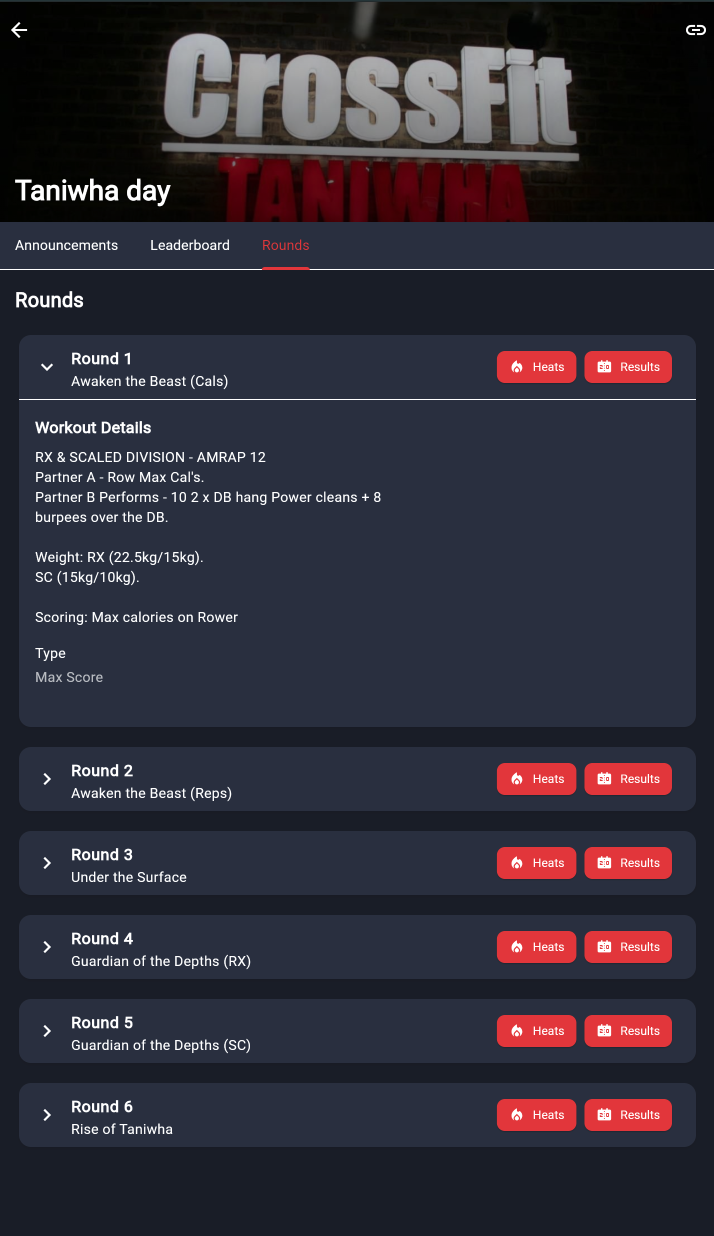
Rounds, with the sport's own vocabulary in every label.
The leaderboard
Scores captured on the floor rank immediately, per division and across rounds. The leaderboard is a link — spectators and sponsors need nothing else, no account and no app install. Competitors stop asking where they stand, and your announcer always has the current picture.
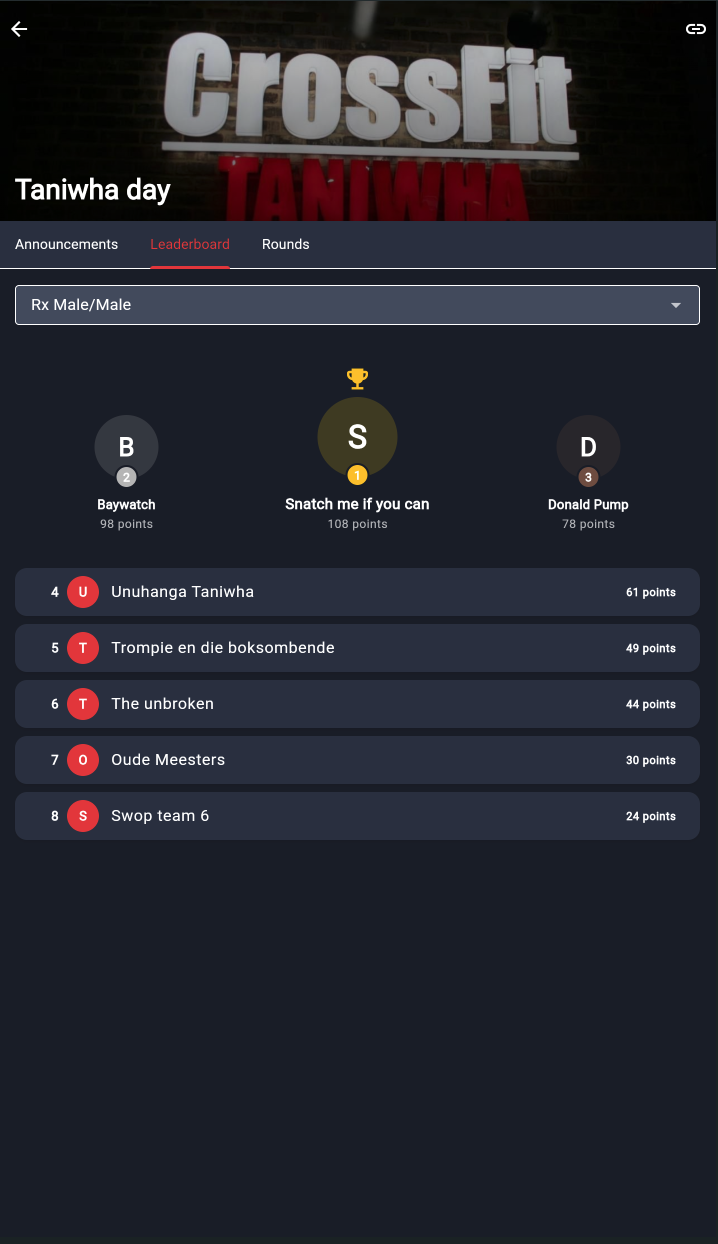
Ranks per division, with the podium called out.
Series standings roll up the rounds behind them.
Readable by anyone with the competition's link; findable in the hub once it is listed.
The leaderboard as a spectator sees it.
Merch and spectator tickets
Entries are not the only thing you can sell on a competition. Alongside them you can list spectator tickets and add-ons — event shirts, parking, a lunch pack, a weekend pass — and athletes and spectators buy them in the same checkout as an entry.
Spectator tickets
Priced per unit, with stock if the venue has a limit. A ticket is either good for every competition day or restricted to the days you pick.
Every unit gets its own admission code, so a family buying four gets four.
Scanned at the door exactly like an entry.
Add-ons and merch
A product with options — sizes, colours, variants — each carrying its own stock, so mediums can sell out while larges stay on the shelf.
No admission code: an add-on is yours to hand over on the day.
Refunding a line puts the item back on the shelf as stock.
Sales windows
Each product can open and close on its own dates — shirts closing two weeks out for the printer, spectator tickets selling until the event ends, which is the default.
The same money rules
Sales route to your subaccount on the same split as an entry and appear on your monthly statement. The catalogue is public: spectators can browse it without an account, and only need one to buy.
Fulfilment is yours
Every invoice says so plainly: entries, tickets and add-ons are supplied by you, and you are responsible for delivery, collection and access. Rivalyst processes the payment as your agent.
Selling anything on the platform is the Rivalyst registration mode, so it needs a verified payout profile — an own-roster competition has no shop.
Tickets and scanning
Every person who may walk through the door gets exactly one code: one per individual entry, one per roster member of a team entry, and one per unit of a spectator ticket. Your scanners check them at the desk with a phone.
Names only
A ticket carries who it admits, their division or option, and which of several units it is. No date of birth, phone number, email, ID number, emergency contact or medical note — tickets get screenshotted and forwarded.
Valid days
A code can be limited to particular competition days, or admit on every day of the event. Dates are decided in the venue's time zone, so a scan just before midnight counts as that day.
Early scanning
A code can be scanned up to two weeks before its first valid day, which covers handing out race numbers the weekend before or running a registration desk the evening prior. Earlier than that is refused as simply early.
No signal
Scanners keep working offline and the scans replay when the phone gets a connection back. Assume the field has no reception and plan for it anyway.
Scan history
A code keeps its recent scans — enough history to settle an argument about whether somebody has already come through, on the spot.
Voided codes
A refunded or withdrawn entry has its codes voided with a reason, and a voided code does not admit anyone.
Announcements
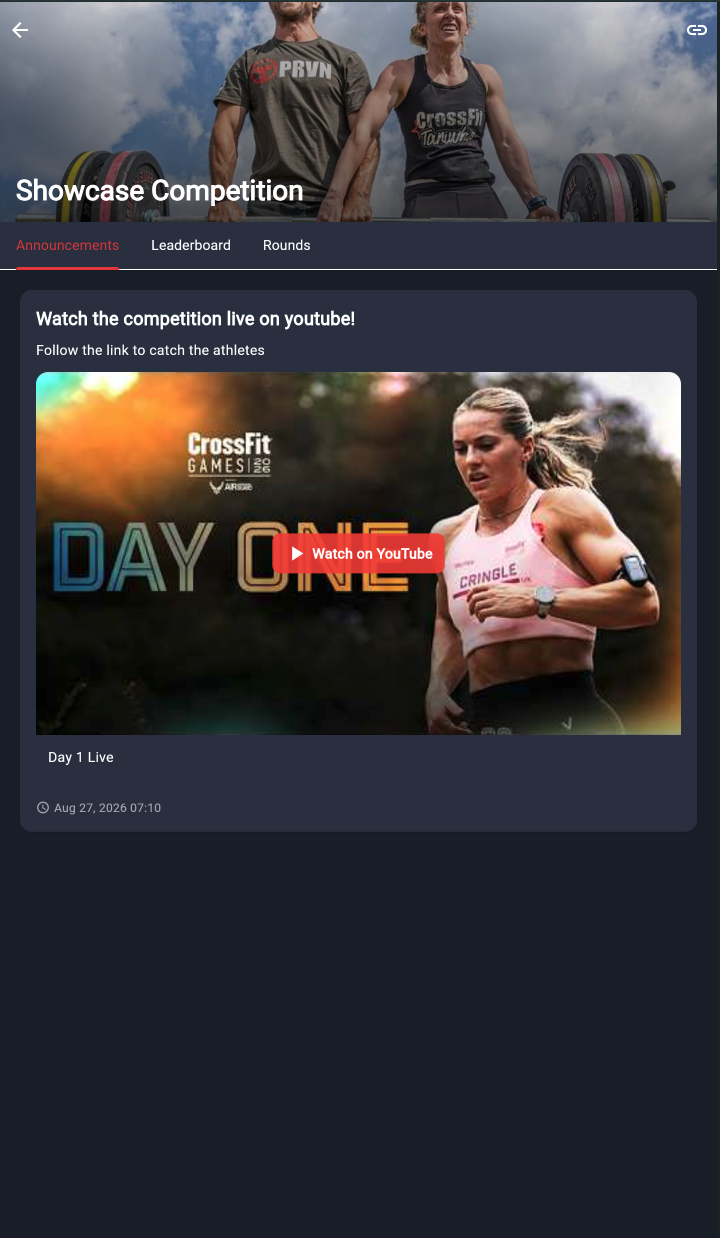
Heat times moved, a lane change, a delay in the rain. Announcements are posted on the competition and read by everyone following it, which is one fewer WhatsApp group to run and one fewer thing shouted across a car park.
Your event staff
Three roles, invited per competition. They are deliberately narrow: capturing results and admitting people through a door are different jobs, and the roles exist so somebody can be given one without the other.
Manager
Can
Everything on the competition: edit it, add participants, capture scores, scan tickets, invite staff, and request refunds. The creator is a manager, and so is anyone they invite as an admin.
Cannot
Approve a refund. A manager can only request one — only Rivalyst can approve it. A manager also cannot change the organiser's payout account.
Score capturer
Can
Read the competition and capture results on the floor, including on a competition still in draft.
Cannot
Scan tickets. Edit the competition.
Scanner
Can
Scan admission codes at the door, on or offline, and see who has already come through.
Cannot
Capture results. Read the roster's private details.
No role on your side can approve a refund. Refunds are debited from the Rivalyst merchant balance, so a manager submits a request and Rivalyst decides — see Refunds on the Money tab.
Filling the roster
This section depends on how you register
Selling through Rivalyst, athletes put themselves on the roster: they enter, pay, answer whatever registration questions you set, accept your waiver and get a ticket. You can still add somebody by hand — a late entry, a sponsor's athlete, a walk-in — and each of those takes a seat from the competition's allowance.
Bringing your own roster, you decide who is on it. Two routes, and both cost a seat: type the entrant in yourself, or send athletes a join link for the division and approve the applications that come back.
Adding someone yourself
Name, contact address, team roster if it is a team entry, and any registration answers your event needs. They appear on the public roster, their admission codes are issued, and a seat is spent.
Join links
A per-division link with an unguessable address. Athletes fill in their own details rather than you typing them. It is not a shop: nothing is sold and nobody is charged. Every application waits in a queue until you approve it, and approving one spends a seat.
Athlete teams
Athletes keep their own teams between competitions, so a squad that enters three events a year types its roster once. The team owner writes the names and optionally invites each member by email; a row becomes a linked Rivalyst account only when the person holding that address signs in and accepts.
There is no email lookup anywhere in the feature. A team owner cannot learn anything about an account by typing its address — not whether it exists, not whose it is. Invitations are one-way until accepted.
Entering as a team
The saved roster fills the entry, so the team's members and their details arrive with it. One participant on the leaderboard, one admission code each at the door.
Leaving a team
Removing a row removes that person's access to the team with it. Nobody keeps reading a roster they were taken off.
What you see
As organiser you see the roster that entered your competition, not the athlete's saved team. Editing your competition's entry does not reach into their team, and vice versa.
Details and privacy
You choose which registration questions your event asks — date of birth, emergency contact, medical notes, shirt size, club. The answers are kept separately from the public roster: spectators see a name and a division, managers see the rest. Nothing personal is ever put on a ticket.
Public roster
Name, division, team members' names, and a picture if the athlete has one.
Manager only
Contact address, date of birth, emergency contact, medical notes and every other answer to your registration questions.
Removed accounts
An athlete who leaves the platform is anonymised, not erased from history. Their account and personal details go; the orders, invoices and results stay, because those are tax records and your competition's history. What is left reads "Removed athlete".
An organiser account cannot be removed this way. Its legal identity is on every invoice it has issued and its subaccount is where its payouts land, so leaving the platform is a handover, arranged with Rivalyst.
Still deciding
Tell us about the event.
We will help you set up divisions, and tell you plainly whether the platform suits what you are running. Rates are negotiable for larger events and series.